
My 1st Blog Post!
Digital Privacy forms a circle around three sub-related categories; information privacy, communication privacy, and individual privacy. It is used to encourage advocacy on individual and consumer privacy rights in digital spheres and is typically used in opposition to the business practices of many e-marketers, businesses, and companies to collect and use information and data. Information Privacy is the idea that individuals should have the freedom or right to determine how their digital information may be collected and there are laws by the EU that dictate how information may be collected and used by companies. Communication Privacy is the idea that people should have the freedom or right to communicate info digitally with the assumption that their communications are secure. Individual Privacy is that individuals should not be bothered by unwanted info and that they can exist freely on the web.
My opinion on the article about digital privacy is, it makes the users of the web have a better control and easier way around the web which is full of hackers and what not. Also, with all the privacy’s involved the web is cleaner and more fun to use to communicate to who ever.
Link to Digital Privacy article
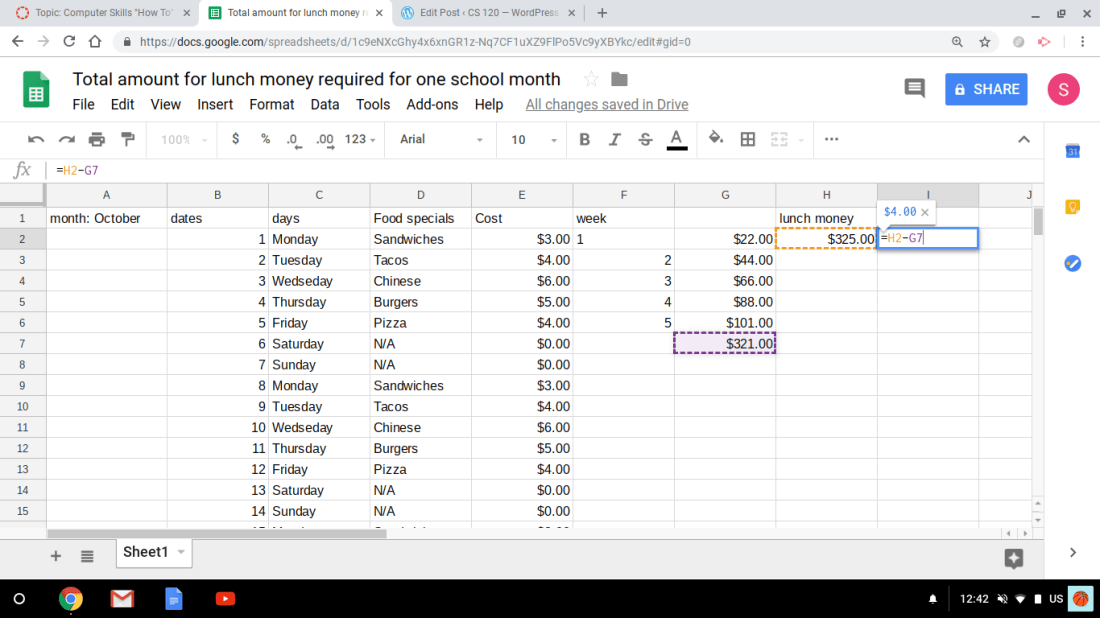
First step- you open a new google sheet and click on blank sheet.
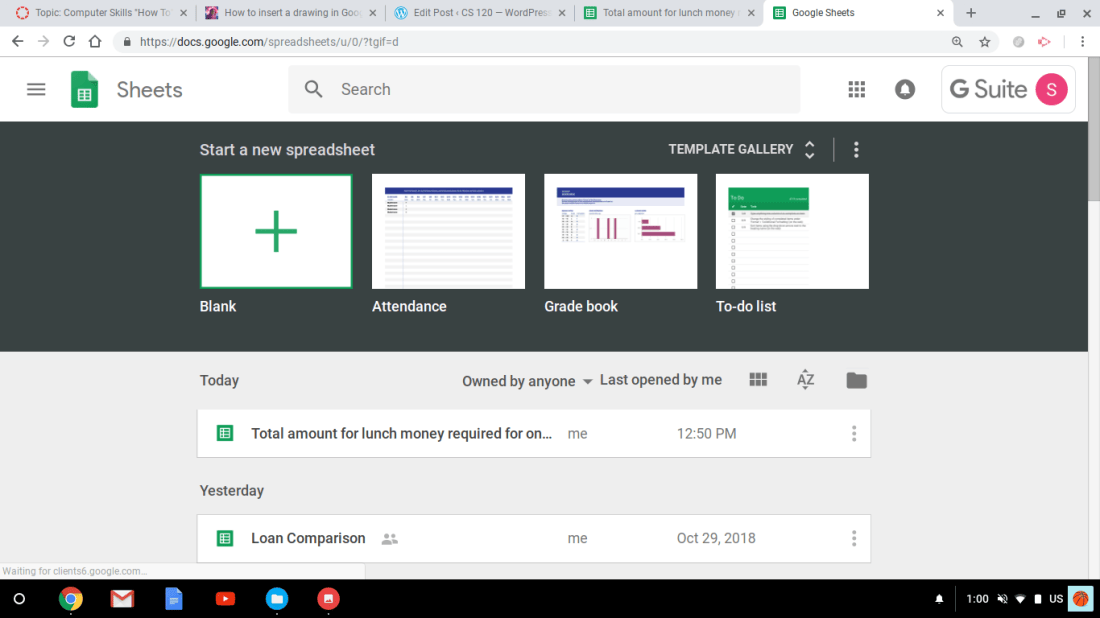
Second step- name your spreadsheet of what you would like it to be. ( Mine is,”Total amount for lunch money for one month).
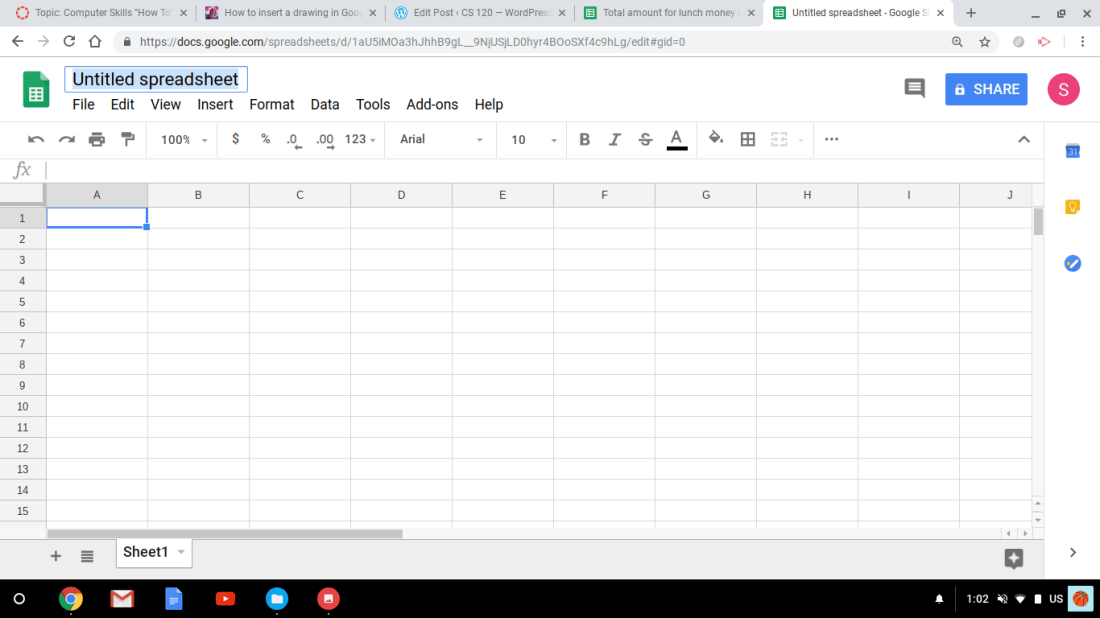
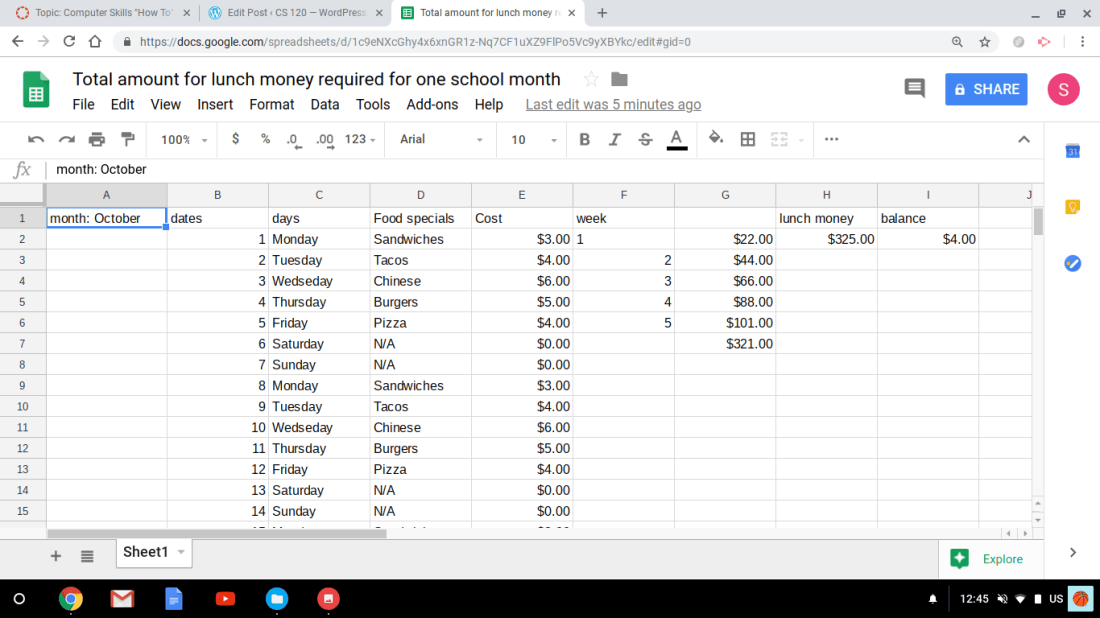
Third step- begin filling in data or numbers ; say for a loan or a payment you need to know the total. Also add in dates, months and rates/percentages can be included but, mine is simple and covers how much money you spend over one month for lunch.You just type in what’s needed to solve for the rest of the amount by clicking in each column and rows.
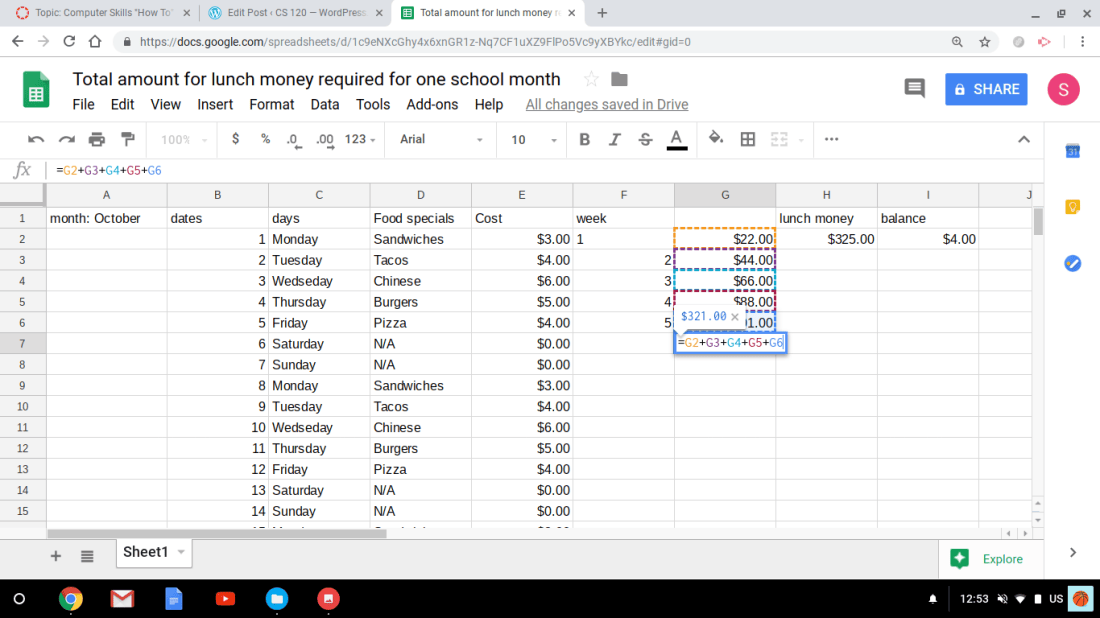
Fourth step- calculate your data and insert a formula for the total/sum. To do so, once you have numerical data in each columns then you create a formula; first put an equal sign(=) in the row and then you would fin the sum by clicking on a row and add another row to it by adding the addition sign next to it. For the total, you would do the same by starting with an equal sign then click on the row or number you want which will appear in different colors. Then you would select a row and minus another row by inserting the subtracting sign(-) and press enter to get your answer.
My three favorite books
Source for first two facts
Source for these 2 data
Thanks for joining me!
Good company in a journey makes the way seem shorter. — Izaak Walton


